The Ultimate 2025 Guide to Understanding and Using an IPTV Playlist
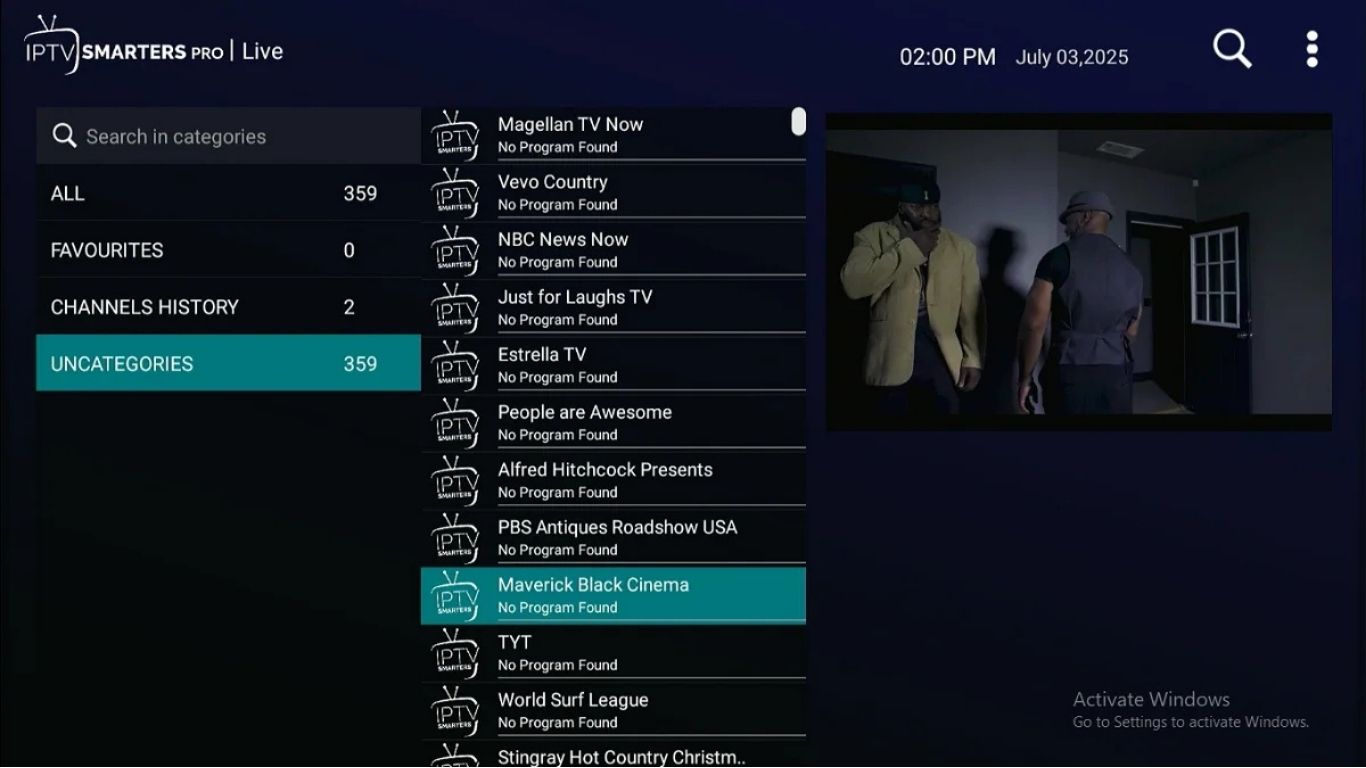
Streaming has completely changed the way people watch TV, movies, and sports. At the heart of this new streaming era lies the IPTV playlist, a flexible and powerful way for users to access thousands of channels and entertainment options in one simple file. Instead of relying on cable boxes or satellite receivers, an IPTV playlist unlocks all your content directly through the internet, giving you full control over how and where you watch.
As streaming grows, more people are discovering the convenience of using playlists for live TV, sports channels, movies, and international content. In 2025, the IPTV playlist has become one of the most efficient and user-friendly tools for accessing modern entertainment.
What an IPTV Playlist Actually Is and Why It Matters
An IPTV playlist is a digital file that contains streaming links for live TV channels, movies, and sometimes radio stations. Most playlists come in formats like M3U or M3U8. These files tell your IPTV app which streams to load and how to organize them.
A playlist matters because it gives you:
-
A full channel lineup
-
Organized categories
-
A simple way to access high-quality streams
-
Easy integration with IPTV players
It’s the core of every IPTV streaming setup.
Different Types of IPTV Playlists You Can Use
There are several playlist formats, each serving a different purpose:
M3U Playlist
The most common format, easy to use on all apps and devices.
M3U8 Playlist
A more advanced version, often used for HD and IPTV streams.
Xtream Codes Playlist
Uses username, password, and server URL. Offers faster loading and better organization.
Each format works well depending on your app and streaming needs.
How IPTV Playlists Work Behind the Scenes
When you load an IPTV playlist into an app, the app reads the file and organizes:
-
Channel names
-
Stream URLs
-
Categories
-
Logos
-
EPG (TV Guide)
The playlist doesn’t store videos it stores links to the streams. Your IPTV app then connects to the server and plays the channel instantly.
This makes IPTV lightweight, fast, and efficient.
Why IPTV Playlists Are Popular for Modern Streaming
The IPTV playlist has become extremely popular because:
-
It works on almost any device
-
It loads thousands of channels at once
-
It’s easy to update
-
It supports HD and 4K quality
-
It’s flexible and customizable
Unlike cable TV, you can personalize your playlist, remove channels you don’t want, and create your own favorites list.
Core Features You Should Expect in a High-Quality IPTV Playlist
If you want great performance, your IPTV playlist should include:
-
Stable HD and FHD channels
-
Fast switching between streams
-
Sports channels with low delay
-
Updated movie and series categories
-
Organized channel grouping
-
Global channels from multiple countries
-
Accurate EPG (TV Guide)
These features make streaming smooth and enjoyable.
How to Use an IPTV Playlist for Live TV Channels
A playlist gives you instant access to:
-
Live UK channels
-
International channels
-
Sports channels
-
News networks
-
Music channels
-
Entertainment channels
-
Kids channels
Once the playlist is added to your IPTV player, the entire channel catalog loads in seconds.
This makes IPTV one of the fastest ways to watch live TV.
Setting Up an IPTV Playlist on Popular Devices
The setup is simple and takes only a minute.
Amazon Firestick
-
Install your preferred IPTV app
-
Open the app
-
Add your IPTV playlist file or URL
-
Wait for channels to load
Android TV / Android Box
-
Download IPTV Smarters or TiviMate
-
Upload your playlist
-
Sync categories
iPhone / iPad
Use an IPTV app from the App Store.
Smart TVs
Samsung, LG, and others support IPTV playlists through compatible apps.
With just one playlist file, you can watch on almost any device.
IPTV Playlists for Movies, TV Shows & On-Demand Content
Many playlists today include VOD (Video on Demand). These sections offer:
-
Movies
-
Boxsets
-
TV series
-
Kids’ content
-
Documentaries
A playlist can combine live TV with on-demand entertainment, giving you a full streaming solution.
Customizing Your IPTV Playlist for Easier Navigation
You can easily customize your playlist to improve navigation. Most IPTV apps let you:
-
Create favorite lists
-
Hide unwanted channels
-
Organize categories
-
Change channel order
-
Add custom logos
This makes your playlist cleaner and faster to browse.
How to Fix Common IPTV Playlist Errors
If your IPTV playlist doesn’t load properly, it may be due to:
-
Incorrect playlist URL
-
Poor internet connection
-
Old version of the IPTV app
-
Expired playlist
-
Slow device performance
Most issues can be fixed by:
-
Restarting your app
-
Switching from Wi-Fi to Ethernet
-
Updating the playlist
-
Reinstalling the IPTV app
Internet Speed Requirements for a Smooth IPTV Playlist Experience
Here’s the recommended speed for smooth streaming:
| Quality | Minimum Speed |
|---|---|
| HD | 10 Mbps |
| Full HD | 20 Mbps |
| 4K | 35–50 Mbps |
Stable internet is essential for maintaining channel quality and avoiding buffering.
Choosing the Right Apps for IPTV Playlist Playback
Some apps handle IPTV playlists better than others. The most recommended include:
-
TiviMate
-
IPTV Smarters
-
XCIPTV
-
Perfect Player
-
GSE IPTV
These apps support advanced features like EPG, channel customization, fast zapping, and playlist management.
IPTV Playlist Safety: What Users Should Know in 2025
A safe playlist should include:
-
Encrypted streams
-
Secure login credentials
-
Clean and organized channels
-
Private access
Avoid public playlists that are often unstable or unsafe.
Why IPTV Playlists Offer More Flexibility Than Traditional TV
Compared to cable or satellite TV, an IPTV playlist gives you:
-
More channels
-
Better quality
-
Lower costs
-
Higher customization
-
Access on multiple devices
-
Global streaming options
This flexibility is why millions of people are switching to IPTV.
The Future of IPTV Playlist Technology After 2025
The next evolution of IPTV will include:
-
More 4K and 8K streams
-
Faster server technology
-
Smart AI-driven playlist organization
-
Automatic channel updates
-
Better EPG accuracy
-
Enhanced audio formats
As technology improves, playlists will become even smoother and more advanced.
FAQs
1. What is an IPTV playlist?
A file that contains streaming links for IPTV channels and VOD content.
2. Which format is best for IPTV?
M3U and Xtream Codes are the most reliable.
3. Can I use an IPTV playlist on Firestick?
Yes, almost all IPTV playlist formats work on Firestick apps.
4. Why isn’t my playlist loading?
It may be outdated, entered incorrectly, or your app needs an update.
5. Do IPTV playlists include sports channels?
Many playlists offer sports, news, movies, and global channels.
6. How often should I update my playlist?
Every few days or whenever your provider sends a new link.
Final Thoughts
An IPTV playlist is one of the most powerful tools for streaming in 2025. It gives you flexibility, ease of use, and access to a massive range of entertainment all from one simple file. With the right playlist, you can enjoy live TV, movies, sports, and global content with smooth and reliable performance. Whether you’re a new user or a long-time streamer, mastering your playlist will give you the best possible IPTV experience.
Contact Us
Have questions or need assistance? We're here to help!
Get in Touch
Email Us
contact@iptvuk.it.com
Available 24/7
Call Us
+447453598130
Available 24/7
Live Chat
Available on our website
Response time: Under 5 minutes
Our Hours
Customer Support: 24/7
Sales Department: Mon-Fri, 9am-6pm GMT
Technical Support: 24/7
